Page 404
Customize the appearance and content of your site's 404 error page. Use this section to provide helpful navigation or messaging for lost visitors.
When a user searches for content that is not available on the website, they will encounter a no results page.
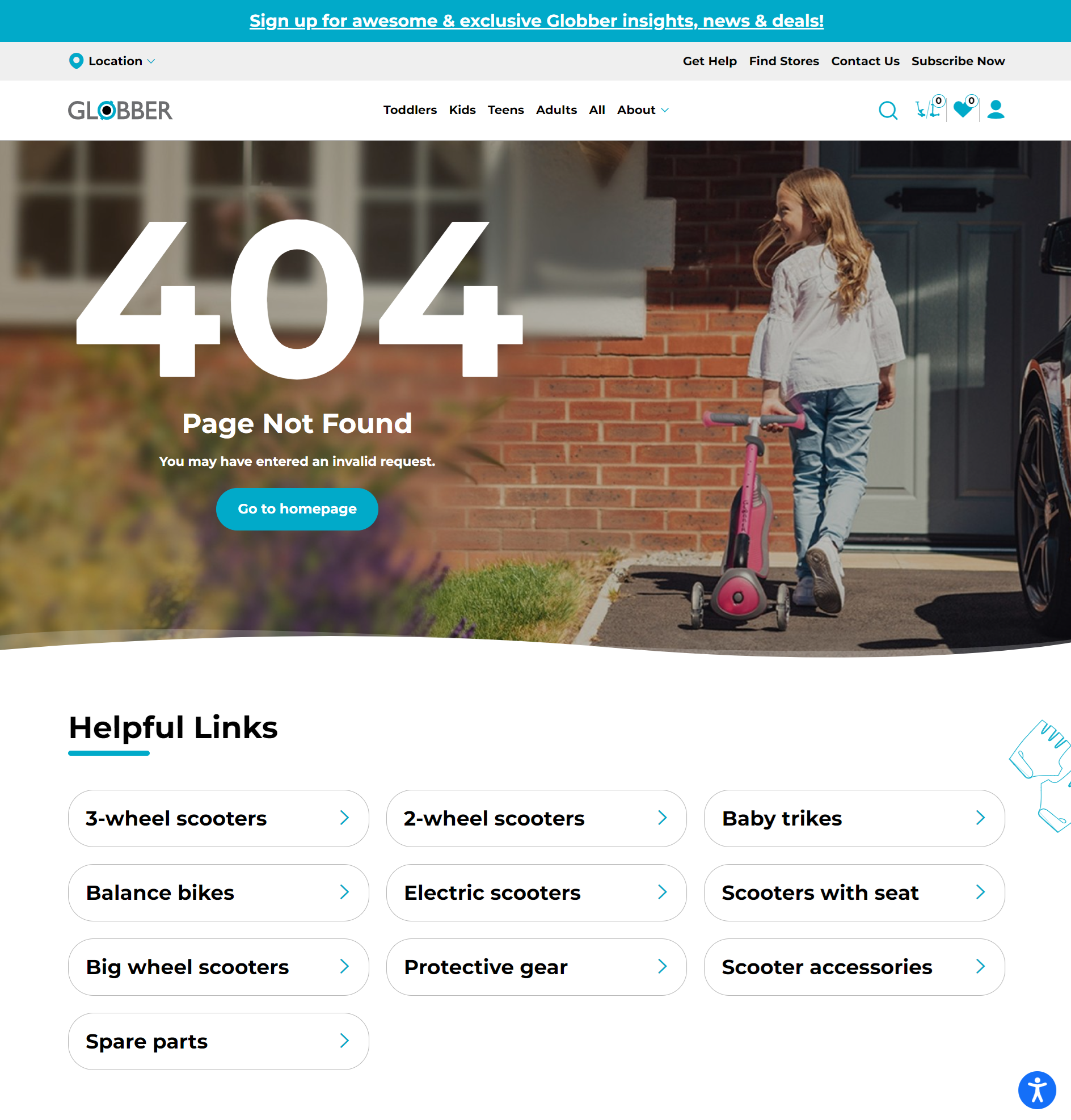
Edit Error 404 Page
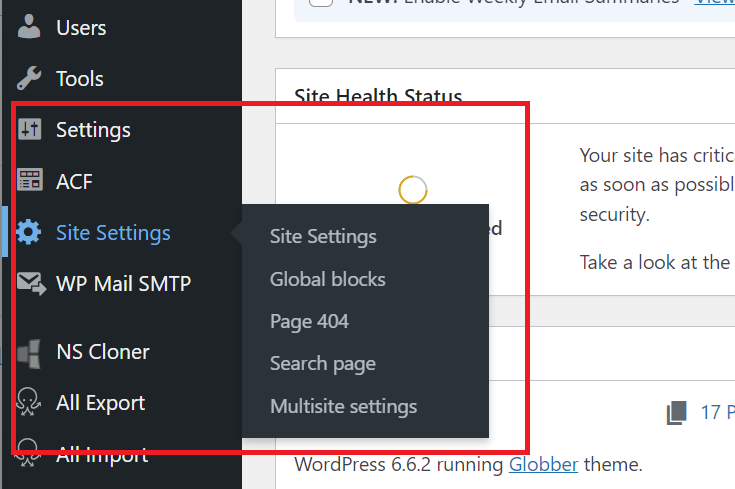
In WordPress, hover over Site Settings on the left-hand side. Click "Page 404".
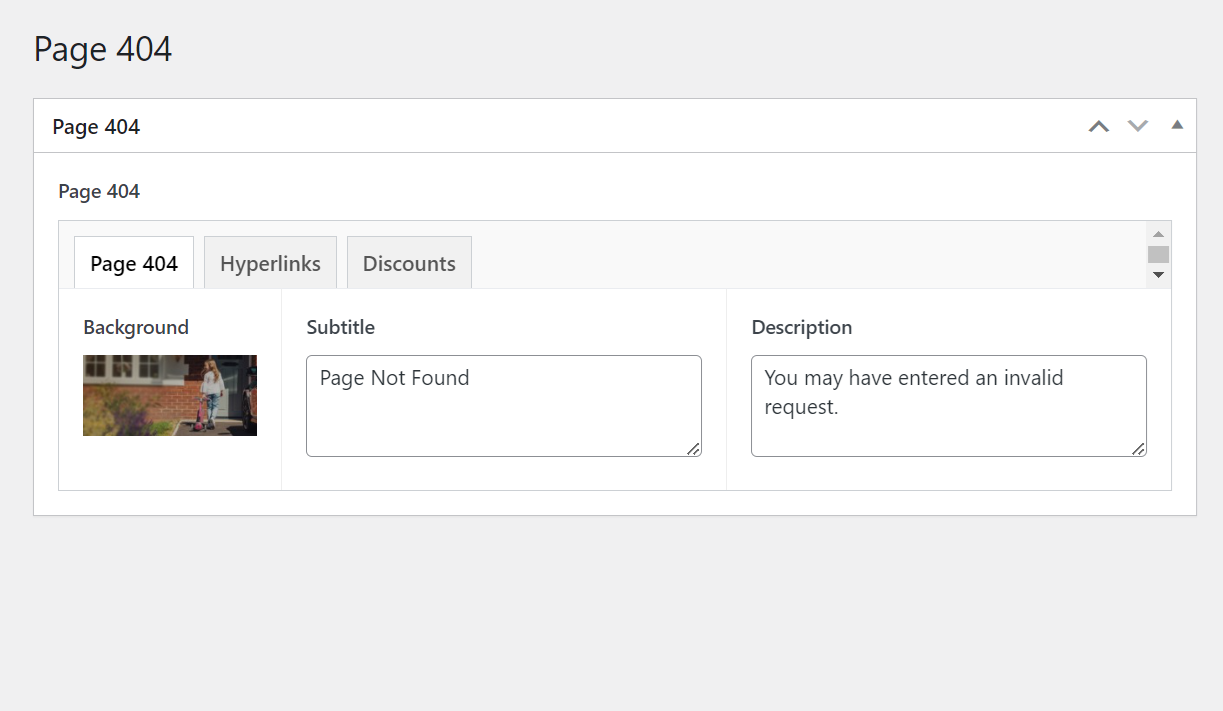
On the "Page 404" tab, you can edit the image background, title and description of the Error 404 page.
For the background image, please ensure the image is 1600 by 745 pixels.
Edit Helpful Links
On the "Hyperlinks" tab, you can edit the links on the "Helpful Links" section of the Error 404 Page.
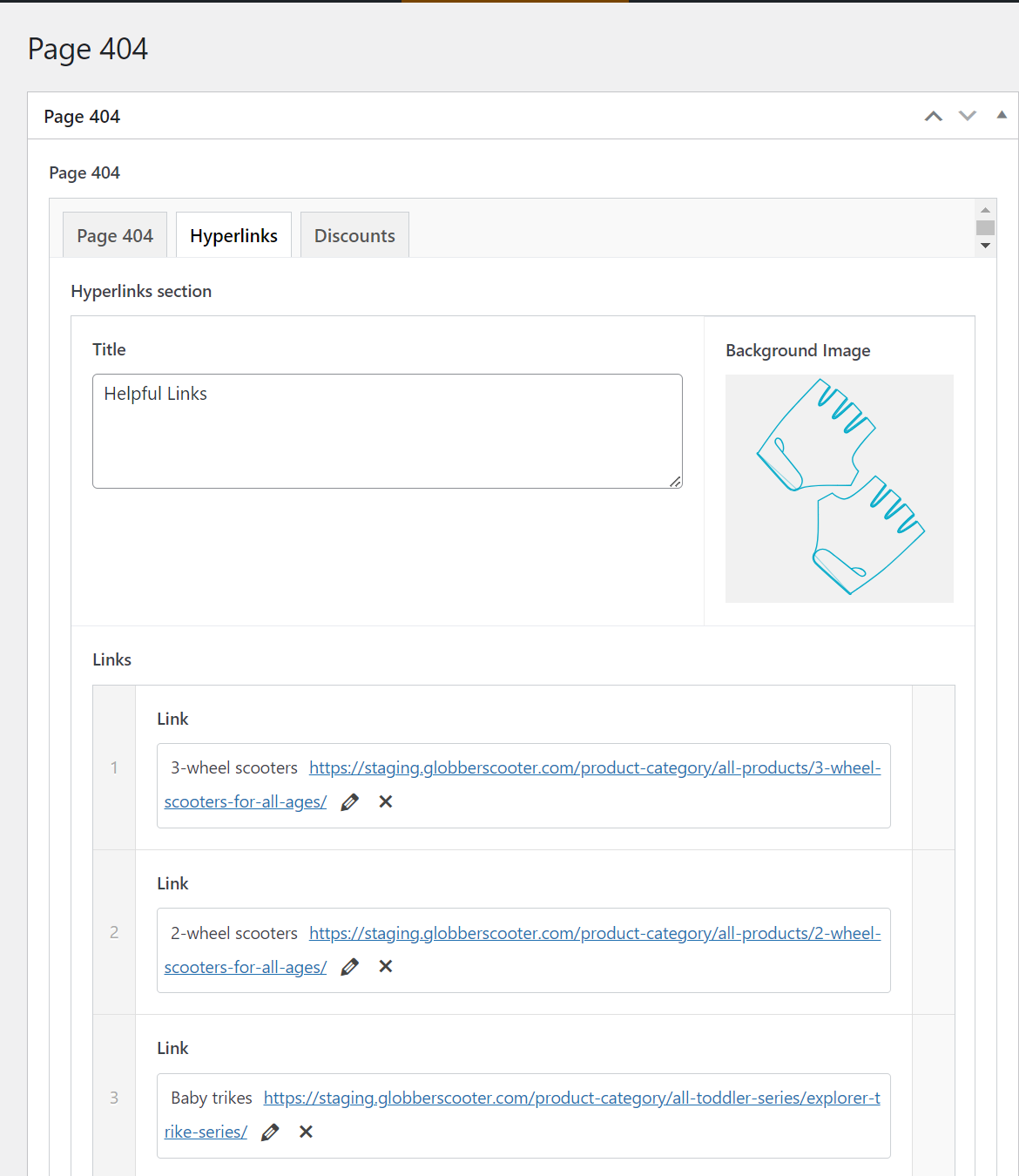
You can drag and rearrange the links in this section to suit your preference.